Pages - Menu

Showing posts with label mobile app. Show all posts

Saturday, 7 June 2014

Simple Project Tutorial

          ANDROID+ARDUINO+BLUETOOTH

Hi friends, 
       Today I'm going to continue the older post Bluetooth-Android meets Arduino .In the upcoming paragraphs i'm going to detailly explain to you all about how to do the project and its component to be used(what we used to make the project successful) 

 For new readers I will give a short explanation about the previous post :    

        This explain the android Bluetooth technology that could search for your misplaced objects. The Bluetooth device search result is shown in mobile application with a user interface to communicate with that Bluetooth tag. The mobile Bluetooth communicates with the Bluetooth tag placed on the misplaced thing through a signal and asks for the kind of response it should give you. Press the response type and receive the signal back using your android mobile application. After all, this aims to provide more relaxation while searching for important things using the simple Android-Arduino-Bluetooth technology.

  So coming to the Components. Its nothings but all you need is simply a smartphone, Arduino UNO board and Bluetooth HC-05 breakout .

 HC-05 breakout board:
 PIN Configuration


All know about smartphones, with that you want to download your mobiles usb driver so that you can easily run the android app from ADT to your mobile.Since Bluetooth is not supported by the ADT Emulator you want to deploy and test your app in mobile


Steps  
1. Download your mobiles USB Driver 
2. Install the driver in laptop/PC
3. Connect mobile and laptop with USB cable
4. Enable USB Debugging on your mobile.
5. While running the app in ADT, choose pick a device option in configuration window
6. If driver is properly installed then your device will be shown on AVD with your mobile model name.

with this you also want to install Arduino IDE from its official site or try using TeraTerm,BlueTerm ,etc..,
Software side is completed.......

Connections to be made on Hardware side...
             Arduino UNO base board can bought from its official website. 
             HC-05 can be bought in http://fabtolab.com/ 

Give connections simple as given in the below diagram


               To do simple operation this connection with the additional pin connection is enough. But to enter into AT command mode you want to set the Reset pin
(Pin11 in HC-05,better solder it) and key Pin (Pin 34 in HC-05) to High.

               Normal bandwidth we used is 9800(Mobile and normal operation) and 38400(AT mode) in serial monitor of Arduino IDE.

Our Project Final Outcome:
Hardware:
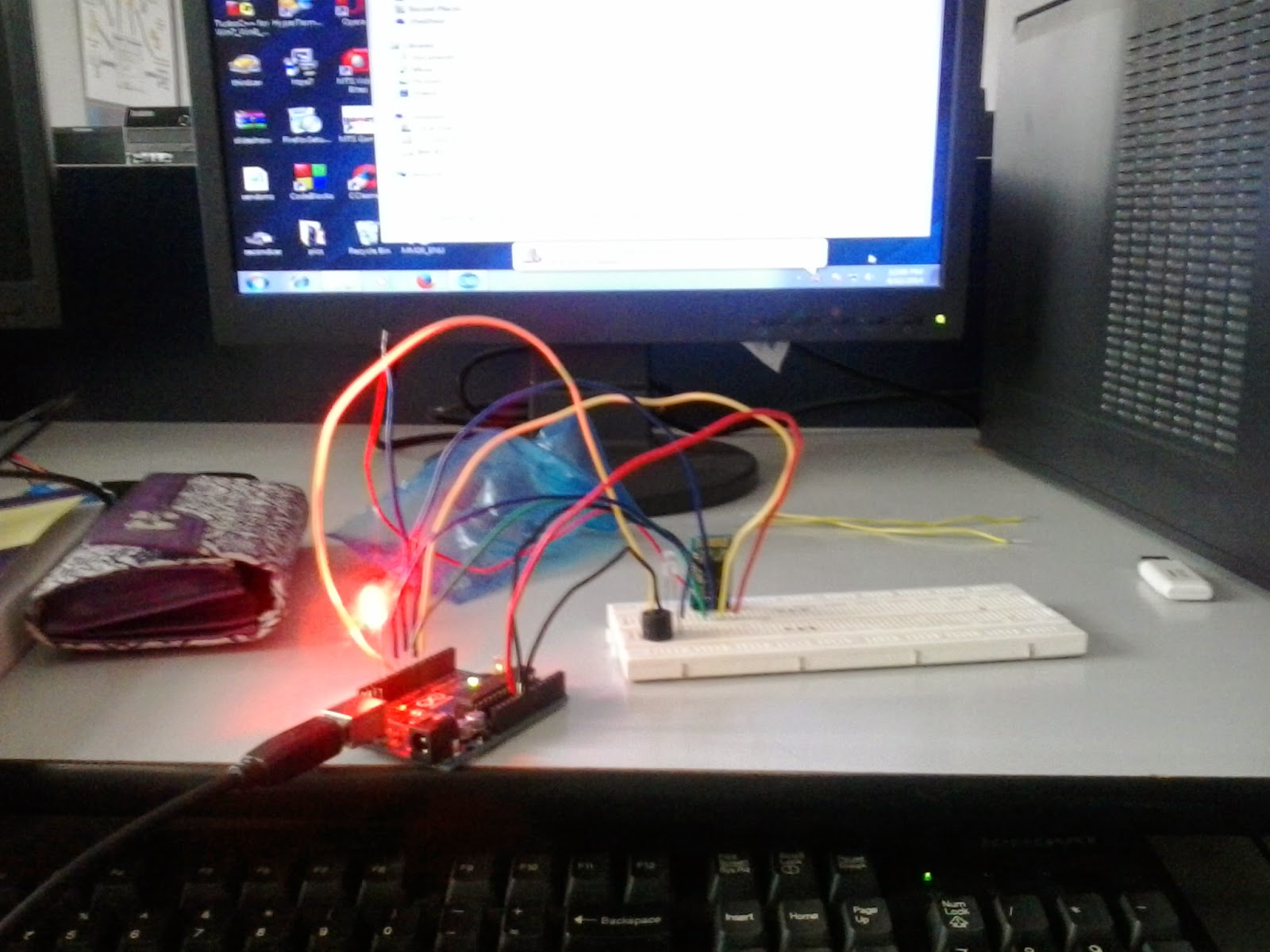
 Software:

                    Since its our final year project work we couldn't brief about the coding and other things. Thanks for spending time to read our post....

                With this outline, I think you must have got some ideas....
                                     All the Best to all doing their final year project.....
                                                       Necessity is the mother of Invention......Jai Ho....


Sunday, 30 March 2014

Bluetooth - Android meets Arduino

Recently i came across the project which make use of android and arduino with Bluetooth technology. I thought Bluetooth is only to transfer data from mobile to mobile , but when i studied that project report the Bluetooth  technology is used to control objects and send its status reports to the mobile. Also their are 3 class types in Bluetooth range. The application uses power class II which is normally used in mobile phones. It can cover a distance of 10 m .On the other side they used arduino UNO with Bluetooth module. The mobile application and the arduino communicates and sends the data and responds to signal using the Bluetooth. 

                  ( Project details Continued in Simple Project Tutorials Post  )


Bluetooth
        Bluetooth is a specification (IEEE 802.15.1) for the use of low-power radio communications to link phones, computers and other network devices over short distances without wires. The name Bluetooth is borrowed from Harald Bluetooth, a king in Denmark more than 1,000 years ago.
Bluetooth technology was designed primarily to support simple wireless networking of personal consumer devices and peripherals, including cell phones, PDAs, and wireless headsets. Wireless signals transmitted with Bluetooth cover short distances, typically up to 30 feet (10 meters). Bluetooth devices generally communicate at less than 1 Mbps.
              Bluetooth networks feature a dynamic topology called a piconet or PAN. Piconets contain a minimum of two and a maximum of eight Bluetooth peer devices. Devices communicate using protocols that are part of the Bluetooth Specification. Definitions for multiple versions of the Bluetooth specification exist including versions 1.1, 1.2 and 2.0.
     Although the Bluetooth standard utilizes the same 2.4 Ghz range as 802.11b and 802.11g, Bluetooth technology is not a suitable Wi-Fi replacement. Compared to Wi-Fi, Bluetooth networking is much slower, a bit more limited in range, and supports many fewer devices.
Concerns with Bluetooth technology include security and interoperability with other networking standards.


Available Bluetooth classes:
  • ·      Class 3 radios – have a range of up to 1 meter or 3 feet
  • ·        Class 2 radios – used in mobile devices – have a range of 10 m or 33 ft
  • ·        Class 1 radios –used primarily in industrial use cases – have a range of 100 m or 300 ft

 Arduino 
          Arduino is a very popular and easy to use programmable board for creating your own projects. Consisting of a simple hardware platform and a free source code editor with an easy "one click compil/upload" feature, it's designed to be really easy to use without being an expert programmer.          
          Arduino is also the most popular microcontroller board for advanced users and all kinds of more ambitious projects. It’s been used to make robots, home automation gadgets, automotive projects, for sensing and controlling lights, motors, locks and servos, sound and video, interactive objects like animated sculptures, toys and games, radio links and just about anything else you can dream up. It can even be a web server and connect your projects to the Internet. The Arduino IDE has sample codings 

                                IDE - Arduino IDE , BlueTerm , TeraTerm, etc..,


Android
                 Android is a software bunch comprised not only operating system but also middleware and key applications. ANDROID is a software platform and operating system for mobile devices, based on the Linux kernel, and developed by Google and later the Open Handset Alliance. It allows developers to write managed code in the Java language, controlling the device via Google-developed Java libraries. Applications written in C and other languages can be compiled to ARM native code and run, but this development path isn't officially supported by Google.
            Android is available as open source. Google threw open the entire source code (including network and telephony stacks) that were not available previously, under an Apache license. Certain parts that relate to a specific hardware can't be made open and are not considered part of the Android platform. With Apache License, vendors are free to add proprietary extensions without submitting those back to the open source community. While Google's contributions to this platform are expected to remain open-sourced, the branches could explode using varieties of licenses.
         
                            IDE - Android Developer Tool (ADT) 

Reference
Android

Bluetooth 
Basic

Programming Bluetooth